

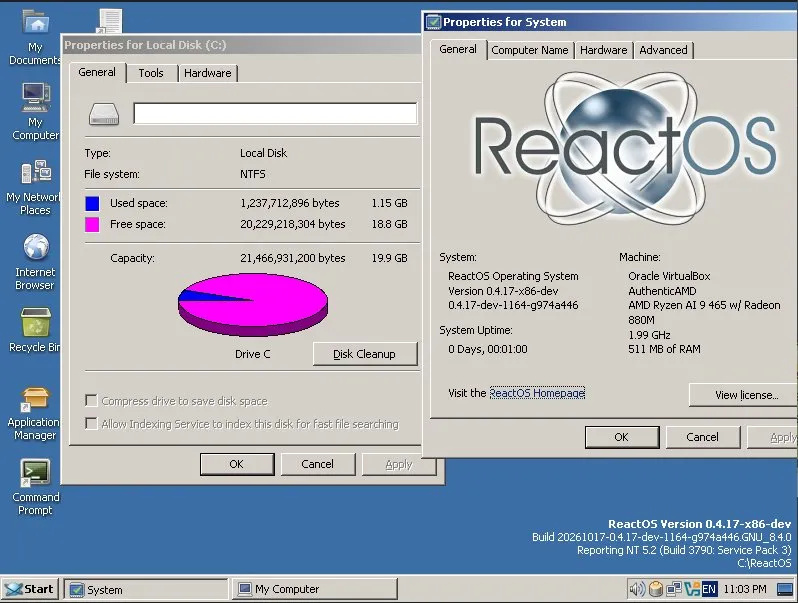
ReactOS, a community-developed open-source operating system designed to replicate Windows functionality, has reached a significant development milestone by adding support for direct installation onto NTFS partitions. Previously, the project required users to maintain FAT32 partitions for installations, a limitation that restricted its practical utility for users accustomed to modern Windows systems.
NTFS, a filesystem developed by Microsoft, became the standard for Windows systems following its introduction with Windows XP in 2001. The ReactOS project has set binary compatibility with Windows Server 2003 as a target objective, making NTFS support essential for achieving that goal. The addition of this capability represents progress toward the project’s aim of reaching beta status after remaining in alpha development for an extended period.
The newly implemented driver carries certain limitations that users should consider before adoption. According to the ReactOS team, the driver currently lacks caching functionality, which results in reduced performance compared to production implementations. Additionally, it does not yet support journaling or security features. The development team has cautioned that undiscovered bugs may remain in the new driver, suggesting that early adopters should proceed with appropriate caution.
The timeline for achieving NTFS installation capability spans nearly a decade of development work. Read-only NTFS support was first integrated into ReactOS in 2016, followed by boot support added to the FreeLoader bootloader in 2022. These incremental advances culminated in the recent announcement enabling full installation capabilities on NTFS drives.
ReactOS remains a volunteer-driven initiative coordinated through public platforms including GitHub and the project’s community forums. While the project may not serve as a practical Windows replacement for mainstream users, this development represents meaningful progress in narrowing functional gaps between ReactOS and contemporary Windows systems.
Article Attribution | Read More at Article Source
Article summary produced by Claude AI